
A marketing website builder, included in every plan
Build a professional marketing website for your property management business with themes, a blog, custom domains, and SEO settings, included in every plan.
14-day free trial · No credit card required · All features included
riversideapts.com — published
Riverside Apartments
Modern living on the river
2BR · 2BA
from $1,450
Available1BR · 1BA
from $1,100
Waitlist+ Drag a block
A management login isn’t a marketing presence
Prospects search for your properties online before they ever pick up the phone. If all they find is a third-party listing, or nothing at all, you lose them.
TenantLedger’s drag-and-drop builder lets you launch a professional site on your own domain, with floor plans, photo galleries, and inquiry forms that land in your inbox. All of it lives in the same place you run your properties.
Look professional in an afternoon
Start from a template, pick a theme, and drag blocks into place. Edit text and swap photos right on the page. No code, no designer, no blank canvas.
Live blocks pull from your property data, so the site reflects what you actually have instead of drifting out of date.
- Templates and themes: start credible, then make it yours
- Live floor plans, availability, amenities, and photo galleries
- Inquiry and contact forms straight to your inbox
- Resident and owner portal links, location and map, testimonials
- A blog for news, updates, and SEO
Your domain, your brand, found on Google
Connect a domain you already own and your site serves over HTTPS automatically. Every page ships with editable titles and descriptions, auto-generated social images, a sitemap, and structured data, so search engines and link previews work without extra setup.
Add your Google Analytics, Search Console, or other tracking IDs in a single field; they fire only on your live pages, never in your admin.
Running an HOA or community association?
Give your community a home online. Post announcements, share news on the blog, list amenities, and point residents to their portal. It is the same builder, with no vacancy listings required.
The builder
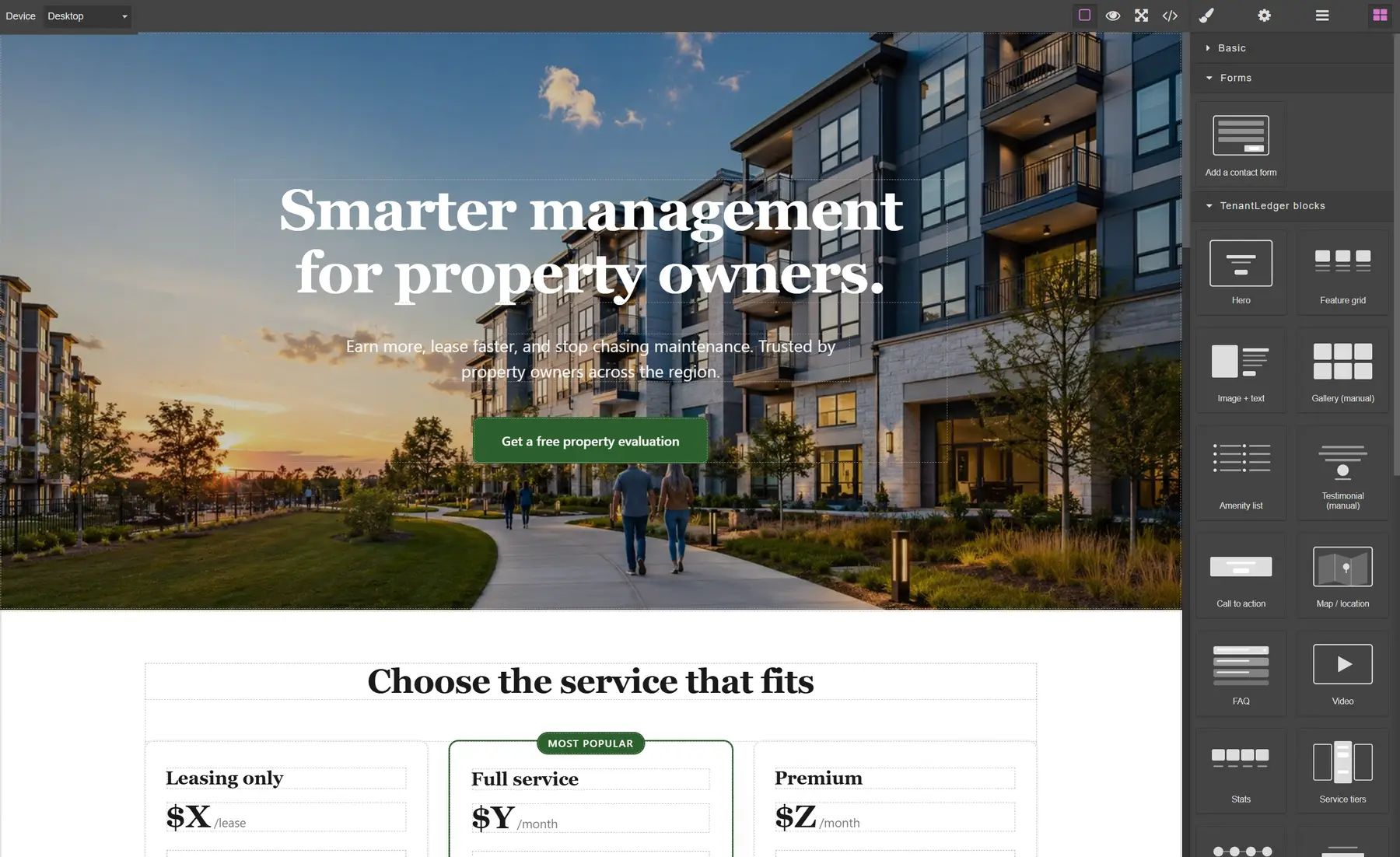
Build the page by dragging blocks
Drag a hero, a floor-plan grid, a gallery, or a contact form onto the page. Then edit the text right where it sits. No code, no designer, no blank canvas.
Templates
Start from a template, not a blank page
Every site begins from a starter template: the pages, sections, and starter copy are already in place and shaped around who you’re trying to reach. Pick one, choose a theme, then edit the words and swap the photos. It’s a running start, not a blank canvas.
Five starters cover the common cases: a company site to win new owners, a property site to fill vacancies, and an HOA / community site for associations, each as a multi-page site or a single scrolling one-pager. Change the template or theme anytime; nothing is locked in.
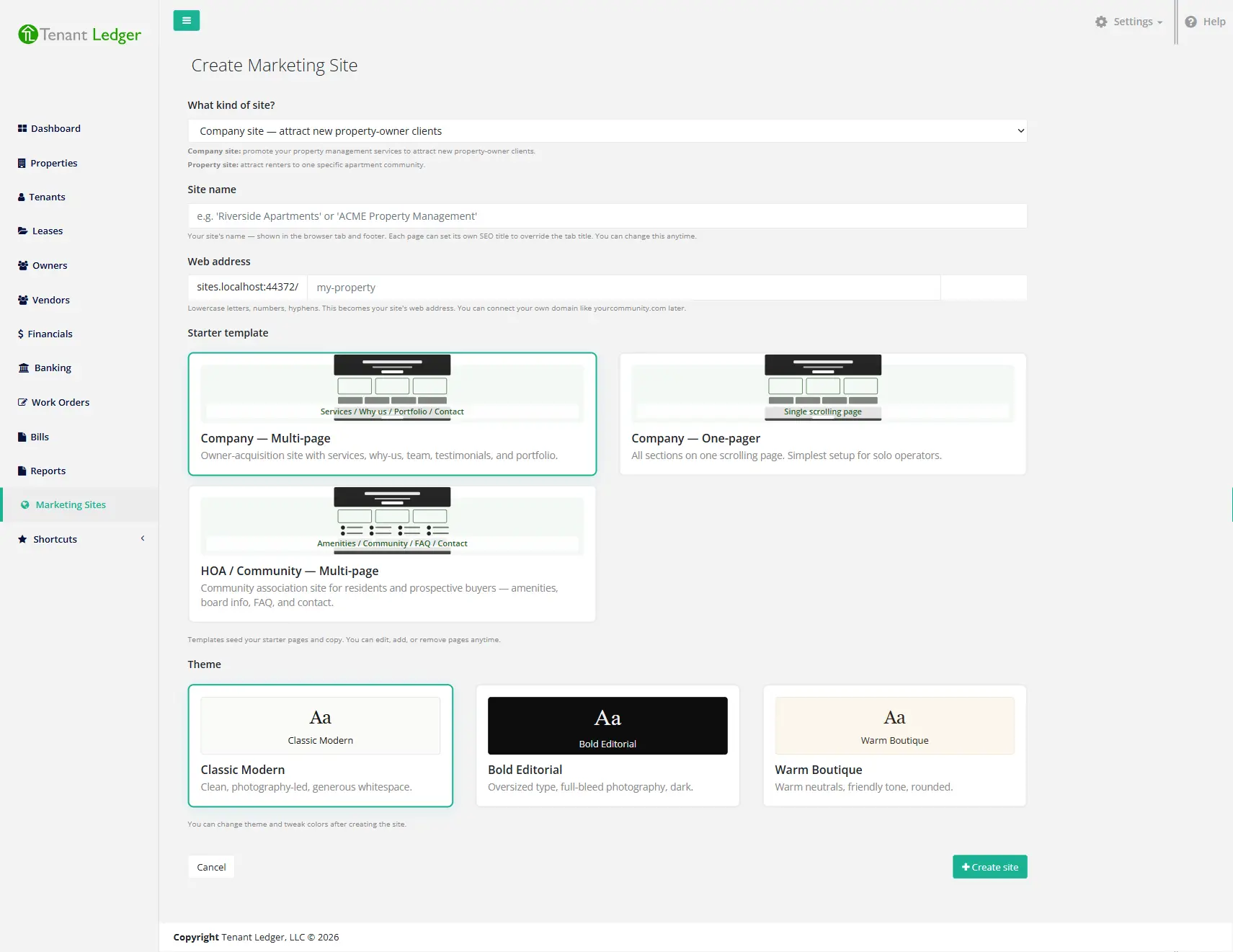
Pick a template and a theme when you create the site. Both are easy to change later.
What the starters look like
northgatepm.com
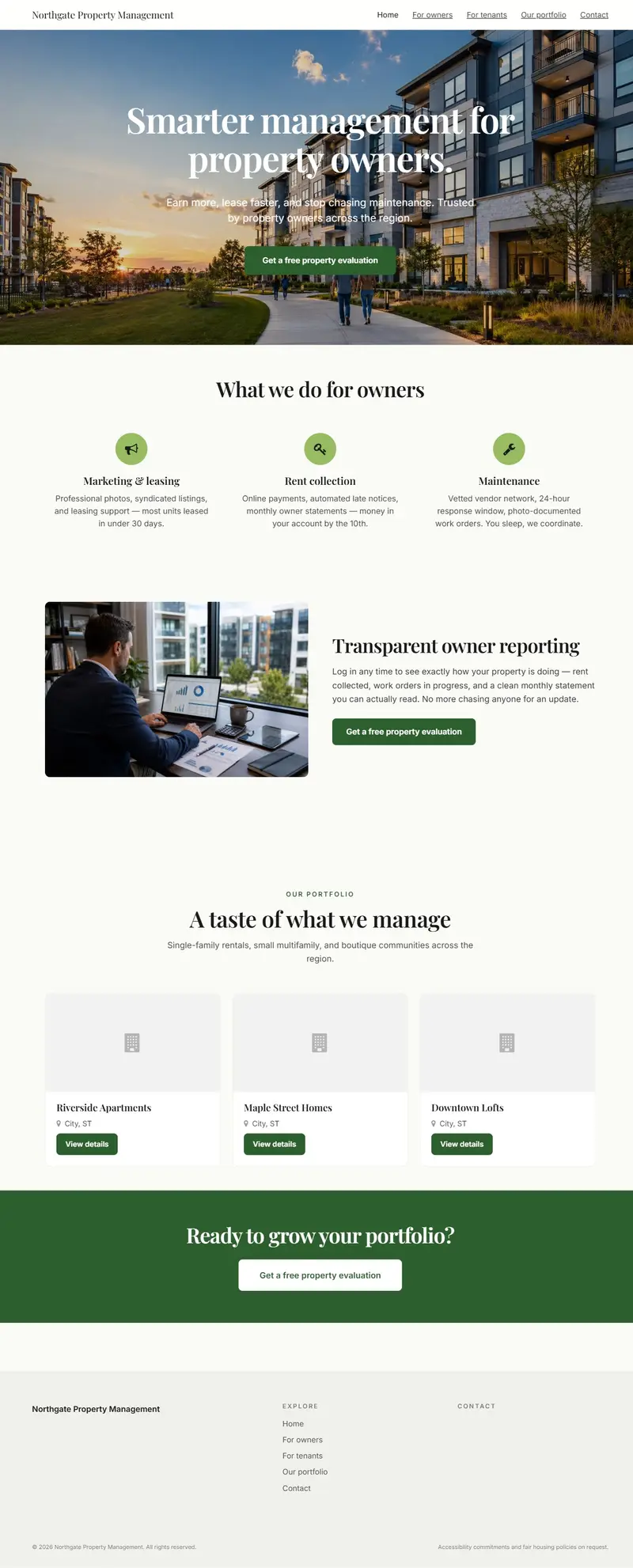
Company site
For ownersWin new owners: services, an owner-reporting story, a portfolio, and a free-evaluation call to action.
parksideapts.com
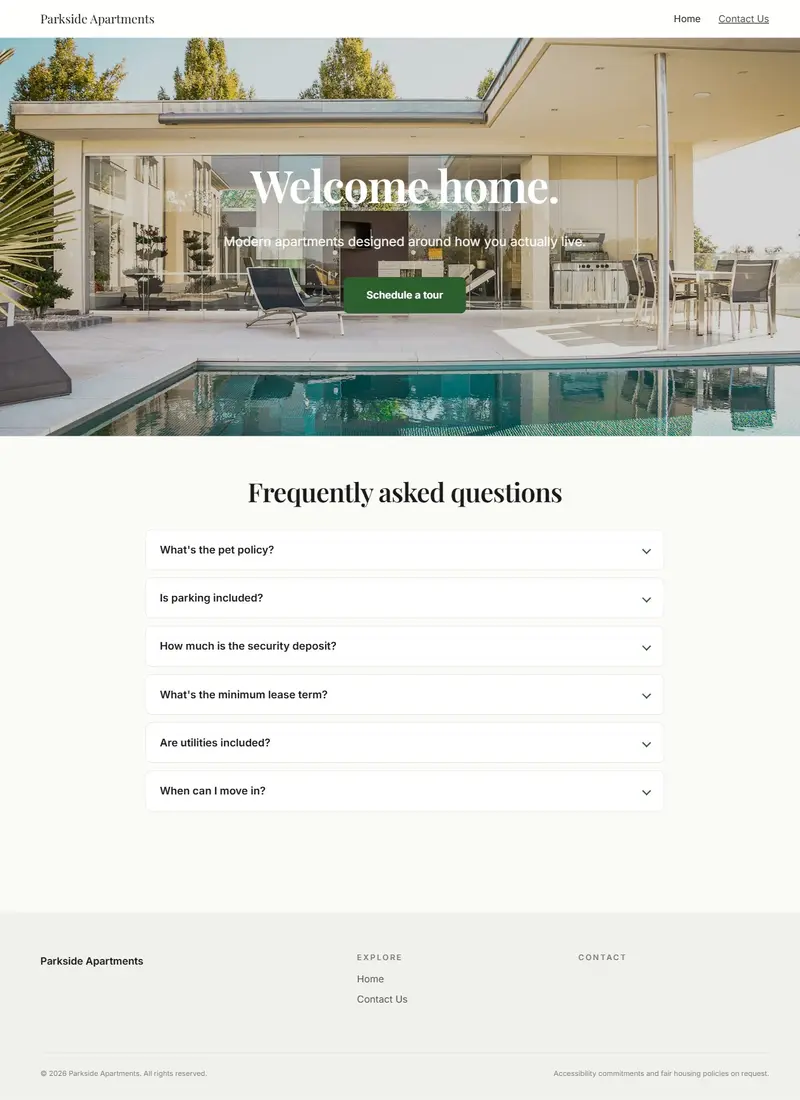
Property site
For rentersFill vacancies: a photo-led hero, amenities, a schedule-a-tour button, and a resident FAQ.
The community / HOA starter is further down, shown in each of the three themes.
Themes
One builder, three looks
Every site is built from the same blocks, then takes on a theme. Here’s the same community site published in each: dark and editorial, warm and friendly, or clean and modern.
stonebridge.org
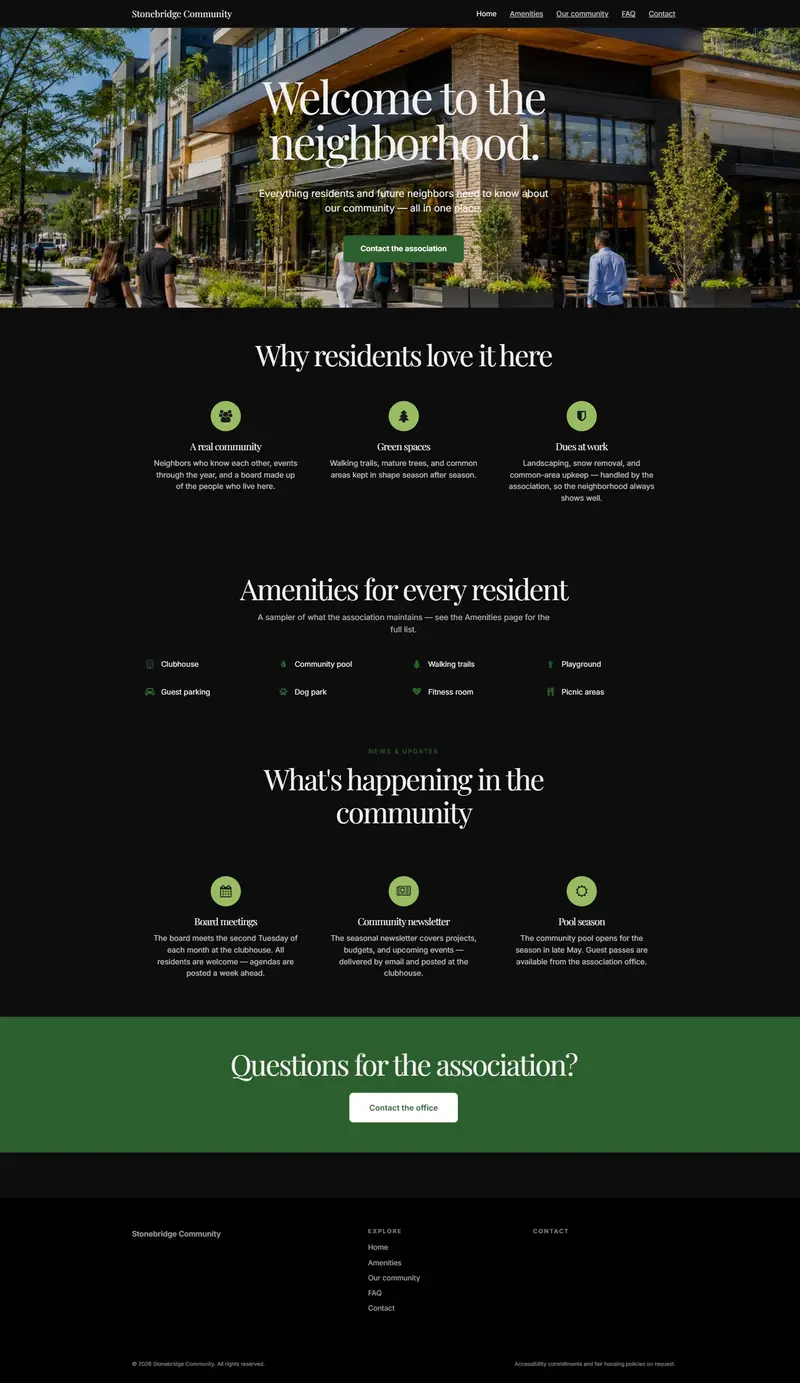
Bold Editorial
Oversized type, full-bleed photography, strong hierarchy.
maplegrove.org
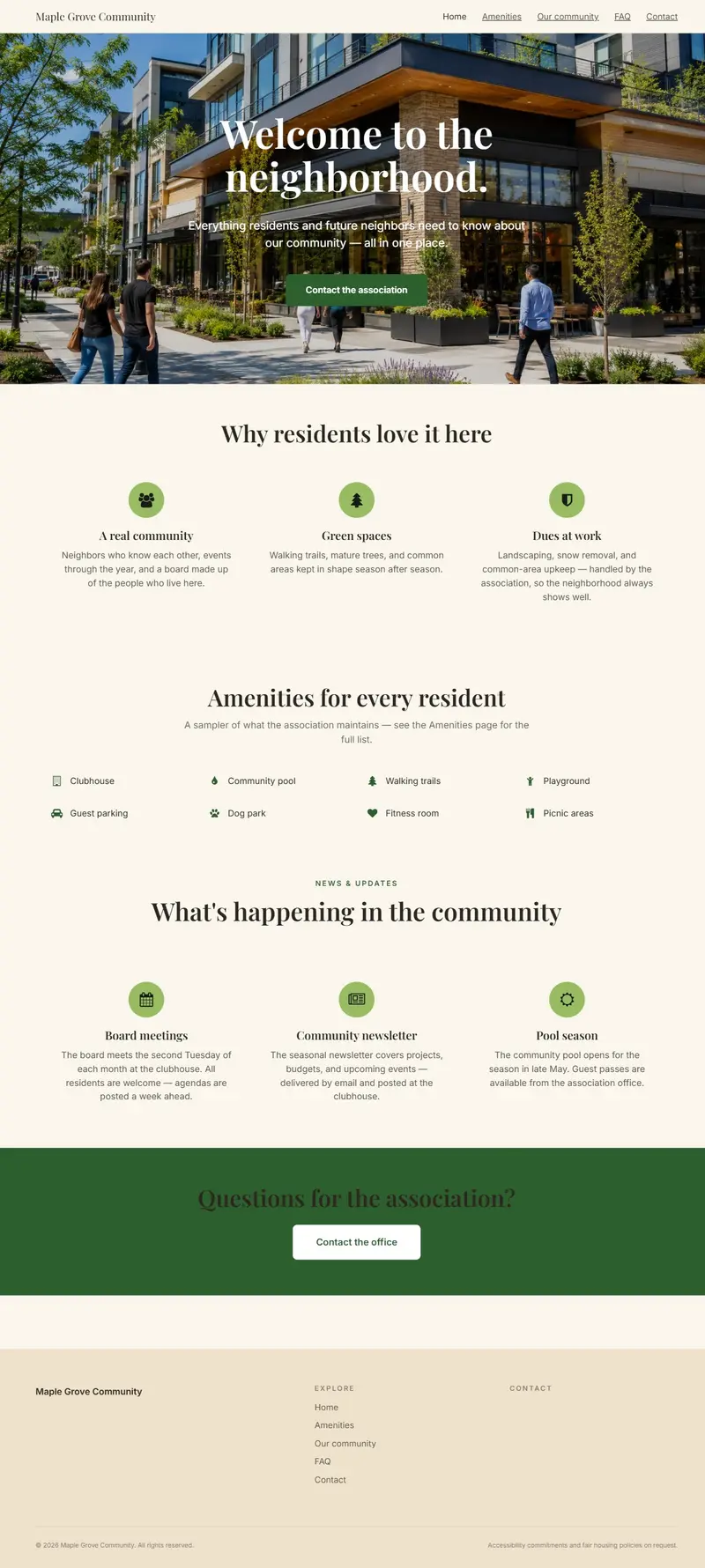
Warm Boutique
Warm neutrals, friendly tone, rounded cards.
parkview.org
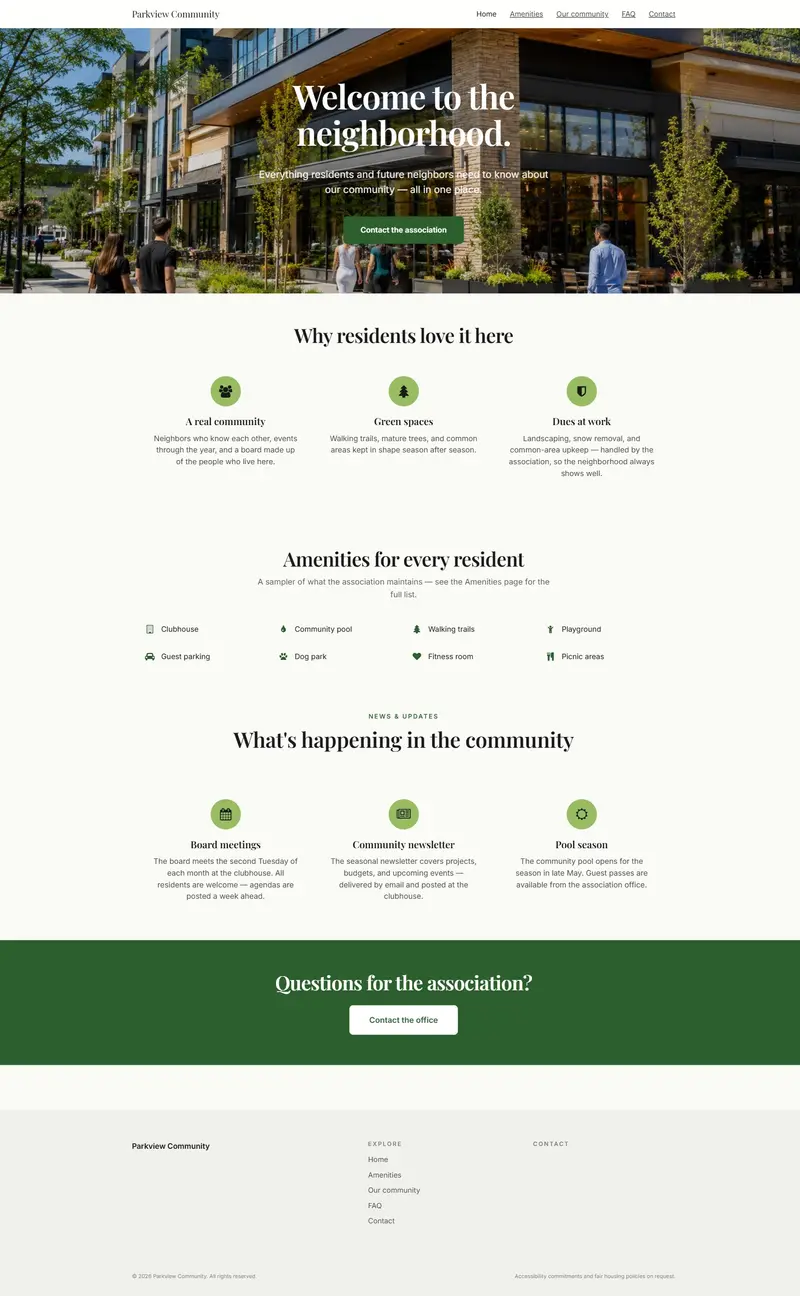
Classic Modern
Clean, photography-led, generous whitespace.
Common questions
Do I need to know how to code?
No. If you can drag a box and type, you can build a page. Custom CSS is there if you want it, but you’ll never need it.
Can I use my own domain?
Yes. Connect a domain you already own and HTTPS is handled automatically.
What if I’m not finished?
Drafts auto-save while you edit, and nothing goes public until you hit publish.
Can I build more than one site?
Yes. You can have one site for your company, or a separate site per property or community.
See it with your own properties
Add a property, record a payment, and see your own numbers in minutes.
14-day free trial · No credit card required