
Add a one-time (manual) charge to a tenant
What a one-time charge is
A one-time (manual) charge bills a tenant for something outside of automatic recurring rent — for example a late fee, a utility reimbursement, a pet fee, or a repair cost you’re passing on. It puts an amount on the tenant’s ledger that stays owed until it’s paid.
Use a manual charge when the amount is a one-off, or doesn’t repeat on a schedule. For rent and other regular charges that should bill every period on their own, use a recurring charge instead (see Set up recurring charges on a lease). You can optionally email the tenant an invoice when you save the charge.
Before you start
- The tenant must be on an active lease.
Steps
-
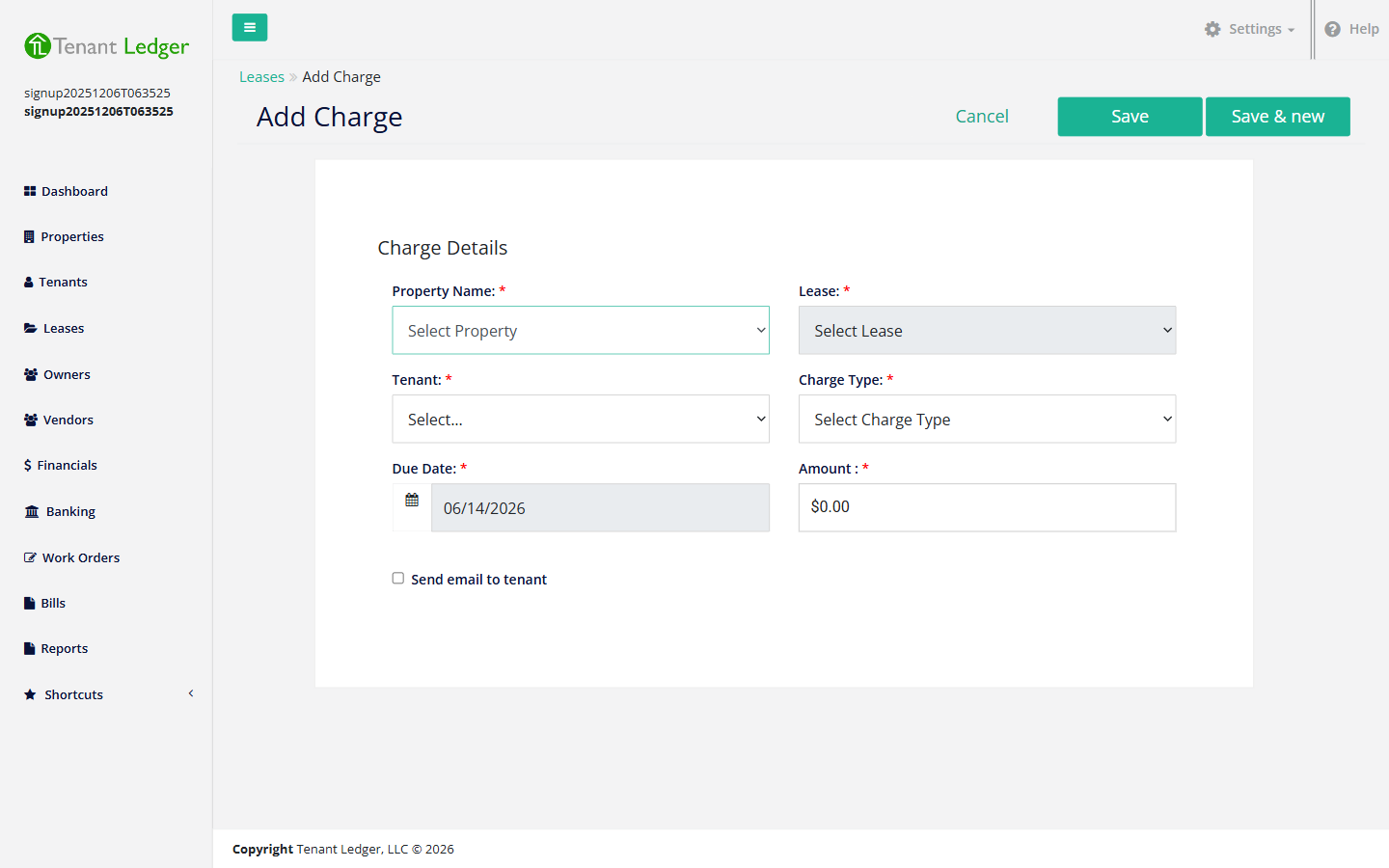
Open the Add Charge screen in one of these ways:
- In the left sidebar, open the Shortcuts group and click Add Charge, or
- On a Lease Summary page, click the Action menu and choose Add Charge, or
- On the Leases list, click the + Charge button in the top-right corner.
-
Choose the Property Name, then choose the Lease. (If you opened Add Charge from a Lease Summary, these are already filled in for you.)
-
Choose the Tenant to bill:
- Pick a specific tenant when one person is responsible for this charge.
- To bill the lease as a whole rather than one named co-tenant, choose the shared/lease-level option. A lease-level charge is owed by everyone on the lease as a group, not by one individual.
-
Choose the Charge Type. This categorizes the charge in your reports and on the tenant’s statement — for example Late Fee or a utility category. The type also controls which credits can later be applied to this charge (a credit can only cover a charge of the matching type).
-
Confirm the Due Date — the date the charge is owed.
-
Enter the Amount.
-
(Optional) Check Send email to tenant to email them an invoice for this charge.
-
Click Save. To enter several charges in a row, click Save & new instead — it saves this charge and reopens a blank form so you can keep going.
What you’ll see
After saving, you land on the Charge Summary page for the new charge, showing the amount, the running balance, and the tenant. The charge now appears on the lease’s Financials tab and is owed until a payment (or credit) clears it.
Tips
- The Send email to tenant option only sends if the tenant has an email address on file.
- A charge billed to the whole lease (rather than a single co-tenant) is owed by the lease as a group. Use a specific tenant when only one person is responsible.
- To collect against this charge later, see Receive a rent payment. To wipe a goodwill amount off it instead of collecting, see Apply an existing credit to a charge.
Related articles
Still stuck? Email support@tenantledger.com and a real person who knows the product will help.