
Move a tenant in
What moving a tenant in does
Moving a tenant in adds an existing tenant to an existing lease and records their move-in date. Use it to add a co-tenant or a replacement roommate to a lease that’s already in place — without recreating the lease.
This is different from creating a lease (which sets up the unit, rent, and deposit from scratch) and from moving a tenant out (which records that someone left). Move In Tenant simply places another person onto a lease that already exists.
Before you start
- The lease must already exist and not be terminated.
- The tenant you want to add should already exist in your Tenants list (you can also add a new tenant first).
Steps
-
In the left sidebar, click Leases, then open the lease.
-
On the Lease Summary page, click the Action menu (top-right) and choose Move In Tenant.
-
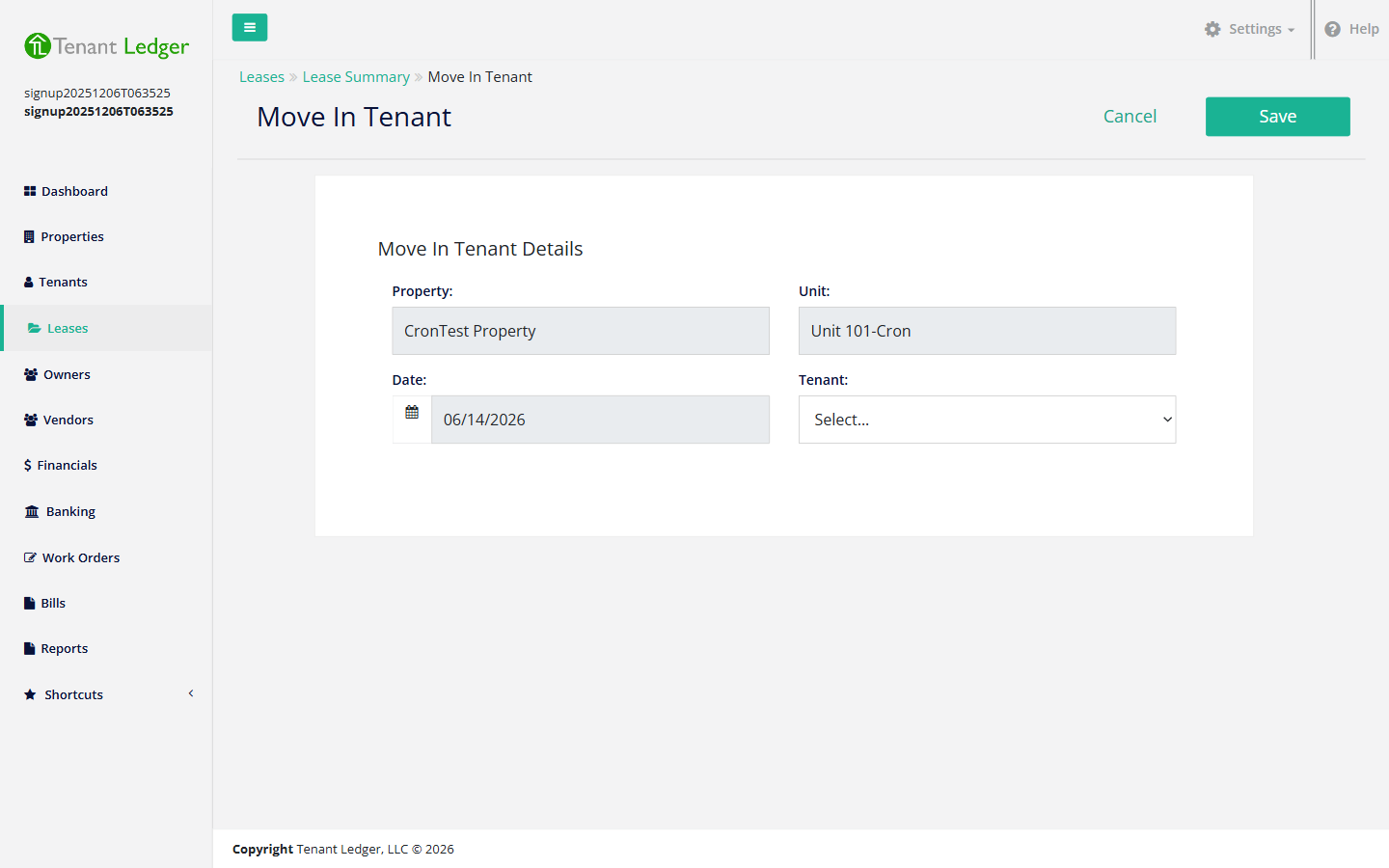
The Property and Unit are filled in for you (they come from the lease). Confirm the move-in Date — the date this tenant takes occupancy.
-
Choose the Tenant to move in from the dropdown. Only tenants who are not already active on this lease appear in the list, so you won’t accidentally add the same person twice.
-
Click Save.
What you’ll see
You return to the Lease Summary page, and the tenant now appears in the lease’s tenant list with their move-in date. Going forward, they’re part of this lease.
Tips
- If a tenant was previously moved out of this lease and you move them back in, their move-out date is cleared and they become active again.
- Moving a tenant in does not bill them automatically. To set up rent for a new co-tenant, review the lease’s recurring charges or add charges as needed. See Set up recurring charges on a lease and Add a one-time charge to a tenant.
- Who owes the rent is set by the lease’s Payment Responsibility. If adding a co-tenant should change that, edit the lease. See Edit a lease.
Related articles
Still stuck? Email support@tenantledger.com and a real person who knows the product will help.