
Issue a credit to a tenant
What a credit is
A credit gives a tenant an amount they can put toward their charges without paying cash — for example a goodwill adjustment, a move-in concession, or an overpayment you want to hold on their account. Issuing the credit creates the balance; applying it to a charge is a separate step (see Apply an existing credit to a charge).
Use a credit when you want to reduce what a tenant owes without recording an incoming payment. Think of it as store credit on the tenant’s ledger: it sits there until you apply it to a charge of the matching type.
Before you start
- The tenant must be on a lease.
Steps
-
In the left sidebar, click Leases, then open the lease.
-
On the Lease Summary page, click the Action menu (top-right) and choose Add Credit.
-
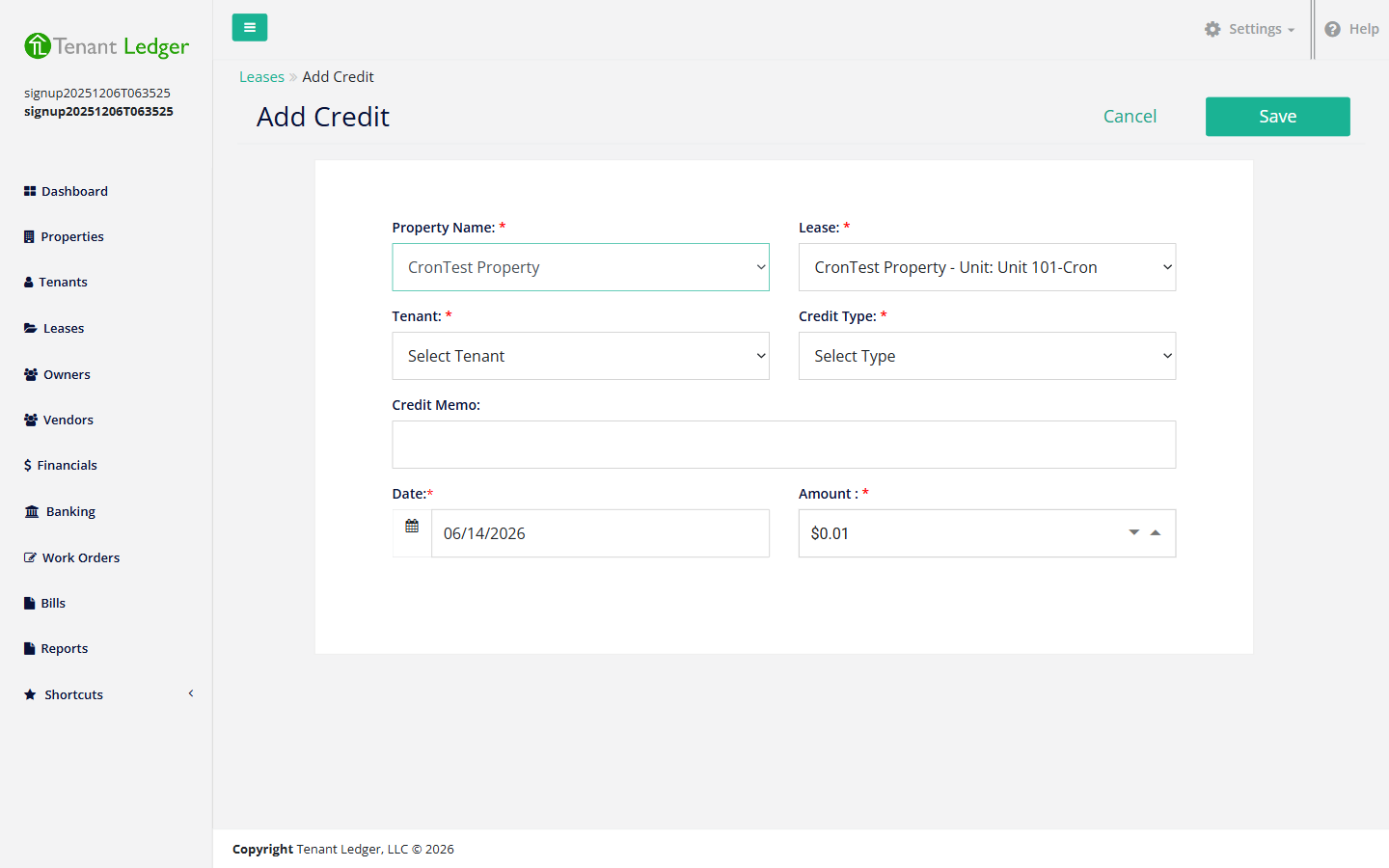
Confirm the Property Name and Lease, then choose the Tenant the credit belongs to.
-
Choose the Credit Type. This is important: a credit can only be applied to charges of the matching type, so pick the type that fits the charges you intend to cover (for example, a rent credit to cover rent charges).
-
(Optional) Enter a Credit Memo describing the reason — this stays on the record so you remember why the credit was given.
-
Confirm the Date and enter the Amount.
-
Click Save.
What you’ll see
You land on the Credit Summary page showing the credit, its type, and the amount remaining to be applied. The credit is now available on the tenant’s account, but it has not yet reduced any charge.
Tips
- The Credit Type matters: if you later don’t see a charge you expected on the Apply Credit screen, it’s usually because the charge’s type doesn’t match the credit’s type.
- Issuing a credit does not automatically reduce a charge — you have to apply it. See Apply an existing credit to a charge.
- Credits can’t be edited after they’re saved. If you got the amount or type wrong, delete the credit and issue a new one. See Delete a credit.
Related articles
Still stuck? Email support@tenantledger.com and a real person who knows the product will help.